Using Solvaro
Customer reply and verifier
Draft a reply, run the reply check (verifier), and only then post when external posts are on.
6 min read
Draft a reply
- Open a case with a clear root cause and workaround.
- Open Case assist → Reply check (or Reply to customer).
- Edit the draft in plain language. Keep internal keys and notes out of the public text.
Verifier (reply check)
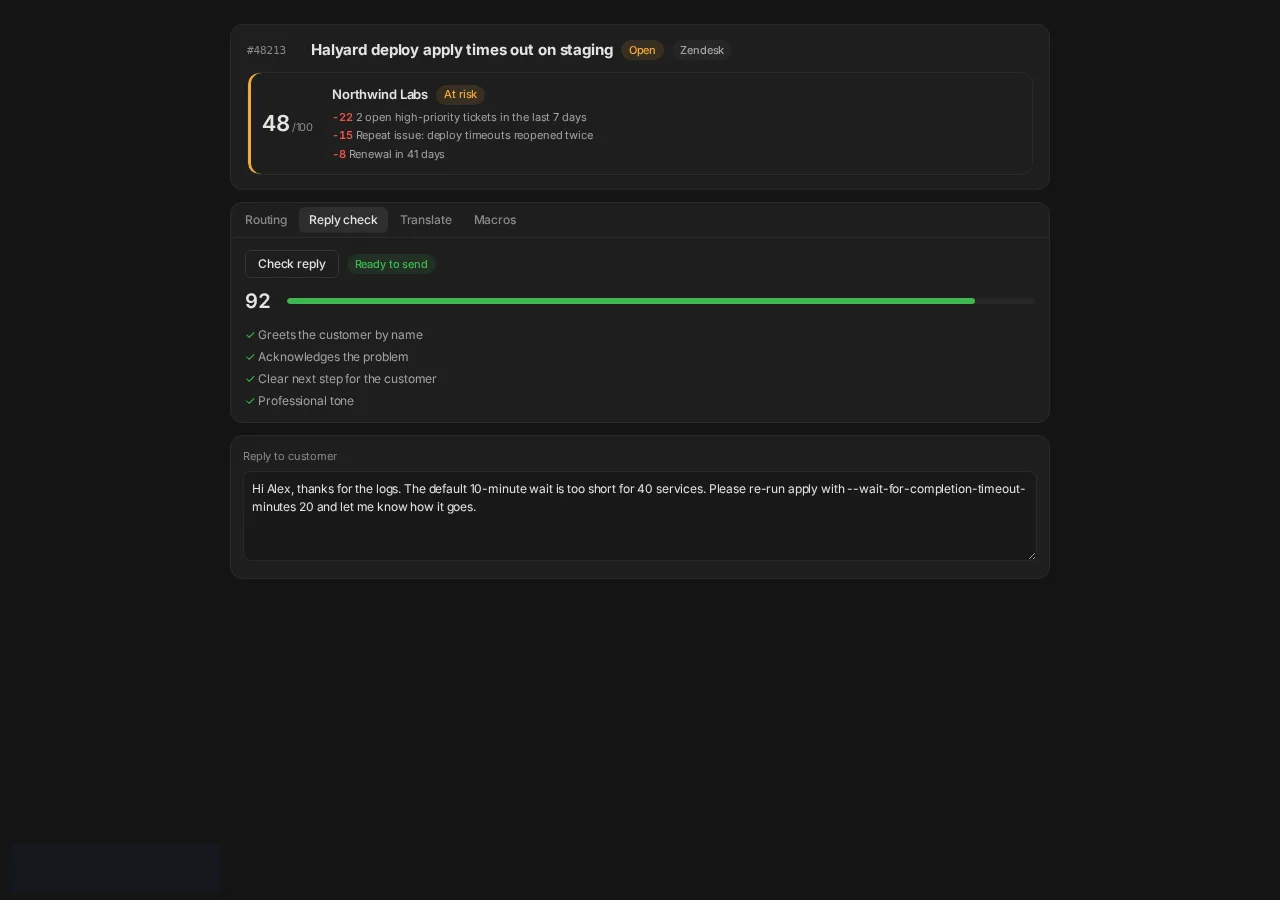
Solvaro scores the draft before send:
- Ready to send: greets the customer, acknowledges the problem, clear next step, professional tone.
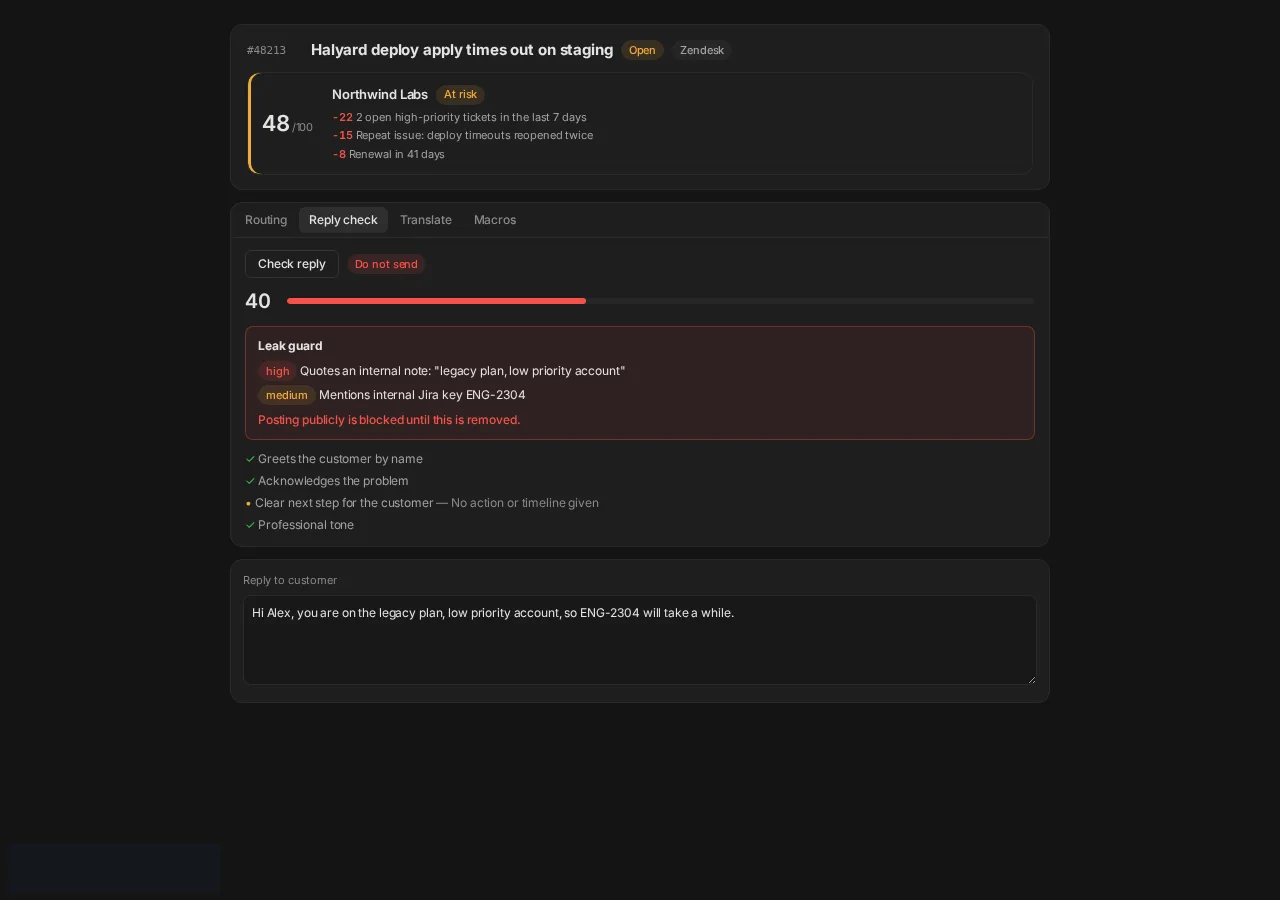
- Do not send: leak guard (internal notes, private Jira keys, legacy-plan language) or missing next step.
- Fix the highlighted issues, then run Check reply again.
When it blocks
Public posting stays blocked until leak findings are removed. Internal notes can still be saved.
Send
- Confirm External posts are on in Settings → Security & privacy.
- Choose Public or Internal for the helpdesk.
- Send. If posts are off, copy the draft instead.
Next
First response on new tickets
An internal note on every new Zendesk or ServiceNow ticket within seconds, and a guarded public reply draft.
Publish a knowledge article
Turn a resolved case into a help-center draft, review it, and publish only after you approve.
Security, DPA and subprocessors
Where to find the security overview, the DPA and the subprocessor list.