Product
Everything a support engineer needs to close the case
Solvaro is a desktop investigation desk for technical and customer support engineers. It drafts the first response, remembers past fixes and hands engineering a clean escalation. You approve anything customers will see.
Root cause with the evidence
Paste a ticket, a log line or a symptom. Solvaro reads the ticket and its files, your code and your team’s past cases, and answers with the root cause, the file and line, what it ruled out and a workaround for today.
- Version-aware: every investigation checks the customer’s release against your history and ends with a fixed-in / not-fixed line when the tools can tell.
- If a needed repo is missing locally, Solvaro can clone it at the customer’s release tag and cite only that ref.
- A case file keeps what earlier answers found (repos, commits, confidence, actions taken) so follow-ups and summaries do not forget clone evidence or a High verdict.
- Confidence is shown with every root cause, and citations Solvaro cannot verify are flagged. Guard checks reduce false High answers.
- HubSpot or Salesforce CRM: plan, contract value, renewal and owner sit next to the case when connected.
- Your org chooses the AI provider, or brings its own key.
First response on every new ticket
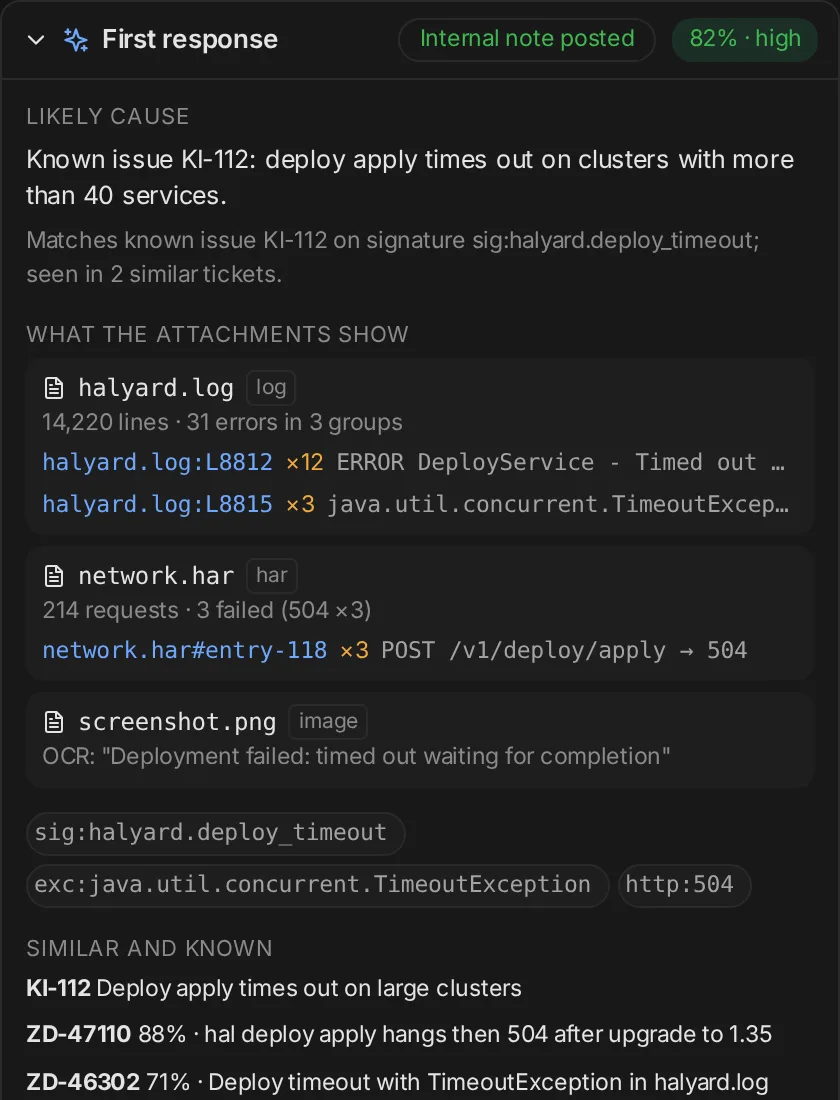
When a Zendesk or ServiceNow ticket is created, Solvaro reads it with its attachments and posts an internal note within seconds. It also drafts a public reply for you to review.
- Design partners can auto-investigate only newly created tickets (created_at cutoff), with a daily cap so older backlog is not drained.
- Logs, archives, HAR files, PDFs and screenshots are read. Every finding cites its source, like agent.log:2003 (sample).
- Confidence is deterministic and shown on the note, so you can see why a cause was suggested.
- Public replies stay drafts unless your org turns on auto-posting and the evidence clears your threshold.
Internal vs public guard
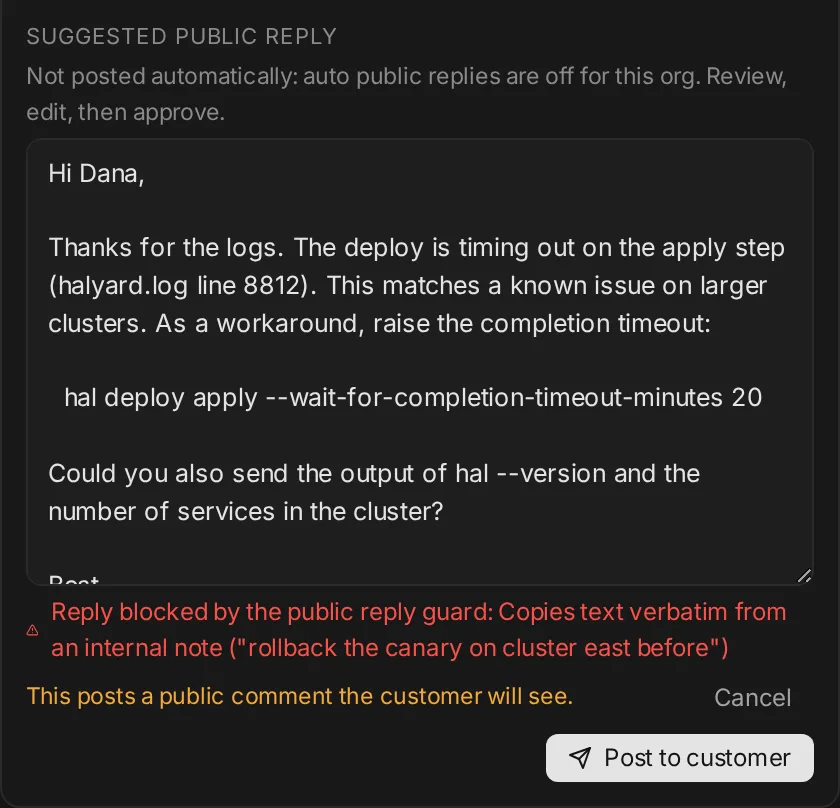
Every customer-facing draft is checked against the ticket’s internal comments before it can be posted. If a reply repeats internal text, posting is blocked and the reason is shown.
- Internal notes stay internal. Public replies need an explicit approval.
- Fixes that need your team’s own action (restarting a pod, a patch from engineering) are never offered to customers.
- Urgent and critical tickets never get an automatic public reply.
Déjà vu resolution memory
Solvaro matches the symptom against your team’s resolved cases and shows the root cause, the fix that worked and who fixed it. Matches are tagged public or internal, so you know what is safe to share.
- Matches on error signatures, not only words.
- Results are scoped to your org.
- Confirmed matches feed the déjà vu hit rate in Insights.
- Case Memory brings a confirmed past case into the investigation, cited as “seen before”.
Slack and Jira linking, escalation with approval
Link the Slack thread and the Jira issue to the case. When it needs engineering, Solvaro drafts a rich Jira bug with root cause, evidence, suspected files, versions and fixed-in. Nothing is filed or posted until you approve it.
- Linked tickets, Slack threads and Jira issues show up in one panel.
- Possible duplicates are flagged before you file (same error signature or component).
- Issue-type fallback for team-managed Jira projects; clear errors when a draft field is rejected.
- Approve, edit or skip each escalation.
Call transcripts with speaker identification Beta
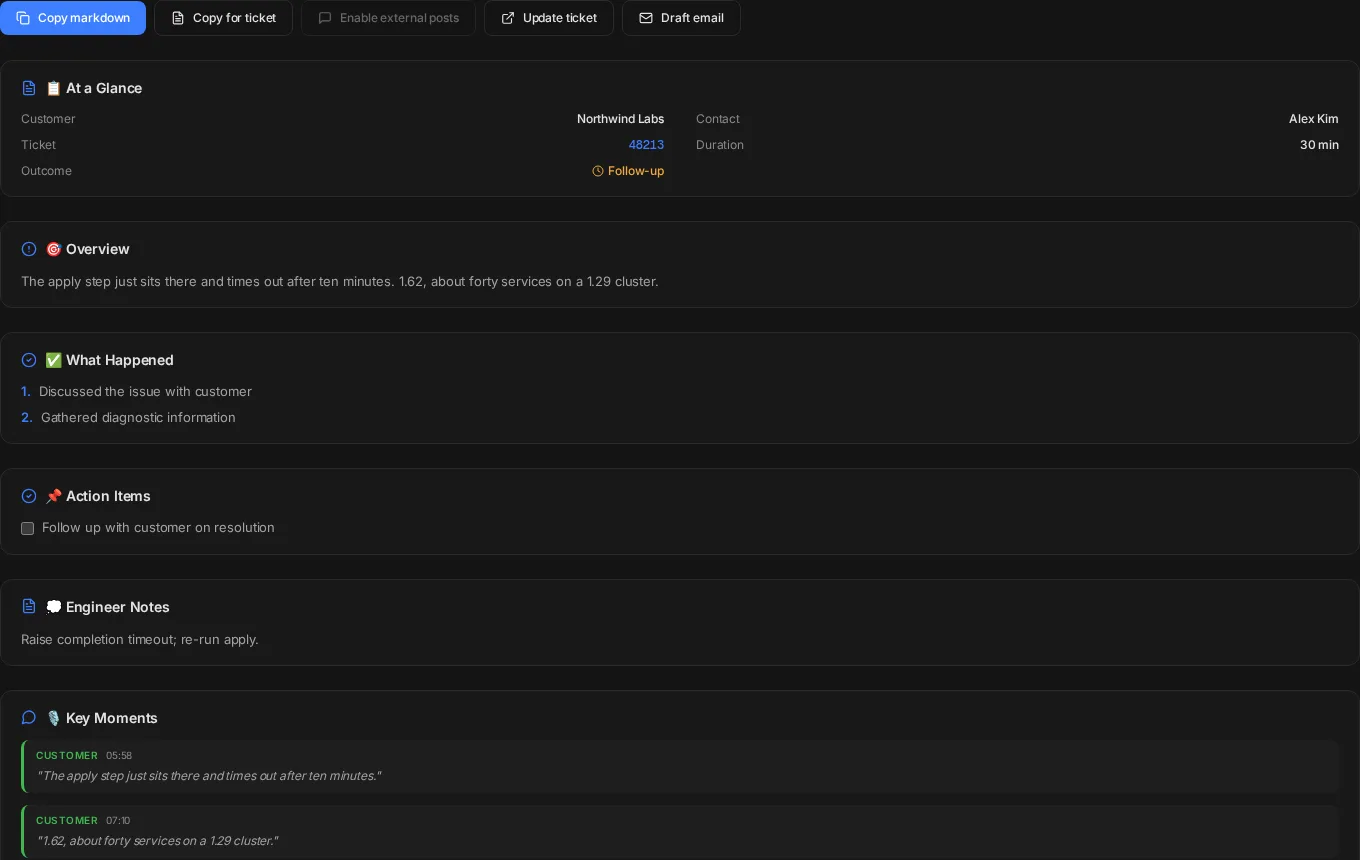
Live calls are transcribed with speakers labeled, so notes, follow-ups and déjà vu searches come straight from what the customer said.
- Speakers are matched to the agent and the customer.
- The summary, next steps and linked ticket are saved to History.
- Calendar meetings carry their ticket and prep notes.
Cases sidebar: every open ticket
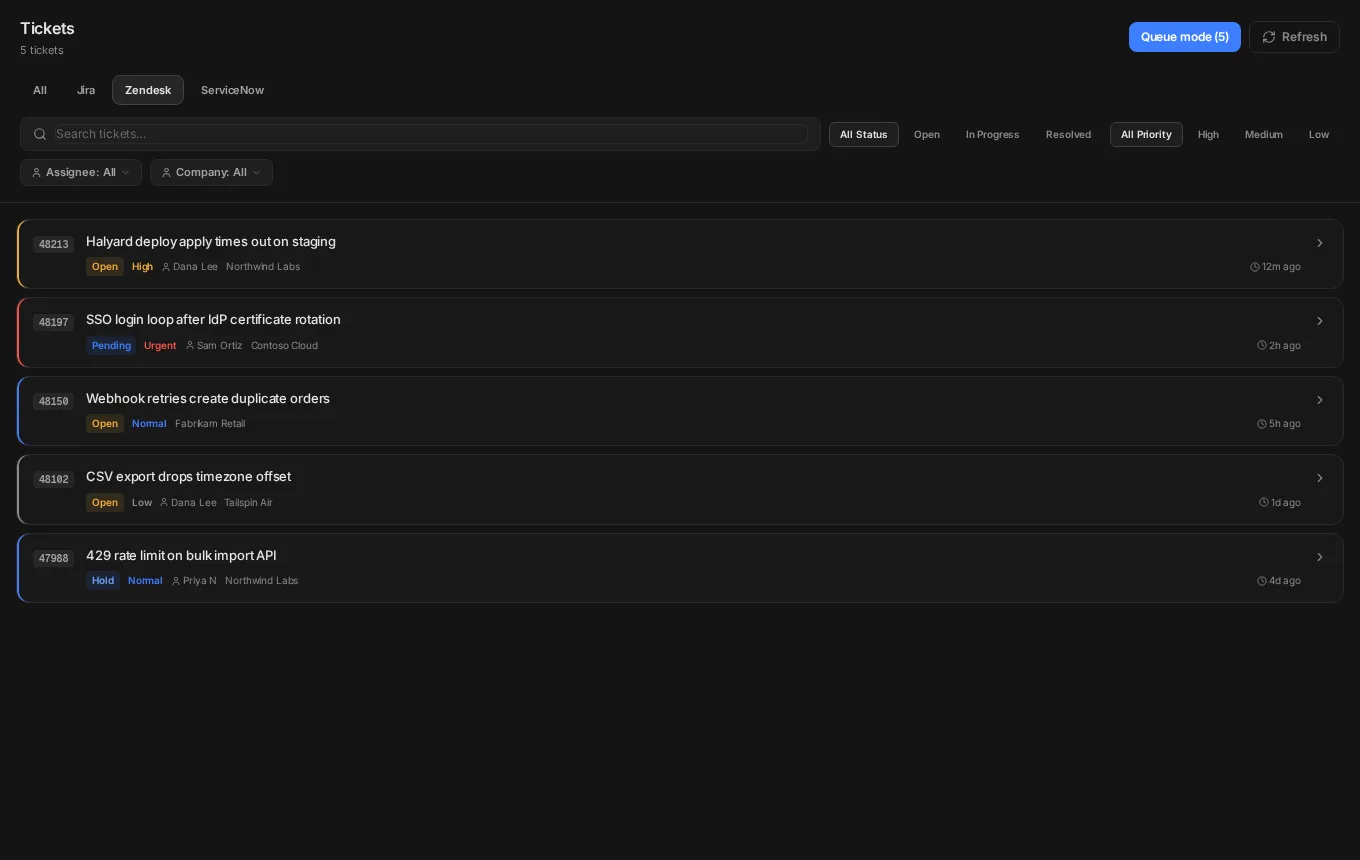
Your open queue from Jira, Zendesk and ServiceNow stays in the left sidebar with a live count. Assign a ticket to yourself in the helpdesk and it shows up after refresh — no restart.
- Same open-ticket scope as Tickets → Active, not a short capped list.
- Refresh is always visible; the list also updates about every minute and when you return to Solvaro.
- Closed tickets drop off the sidebar and stay findable through search.
SLA tracking
SLA targets from Zendesk and ServiceNow are read into one view. Tickets are sorted by time to breach and flagged when they get close.
- States: on track, at risk (60 minutes to breach by default), breached or paused.
- At-risk tickets appear on Home next to your queue.
Insights and CSAT
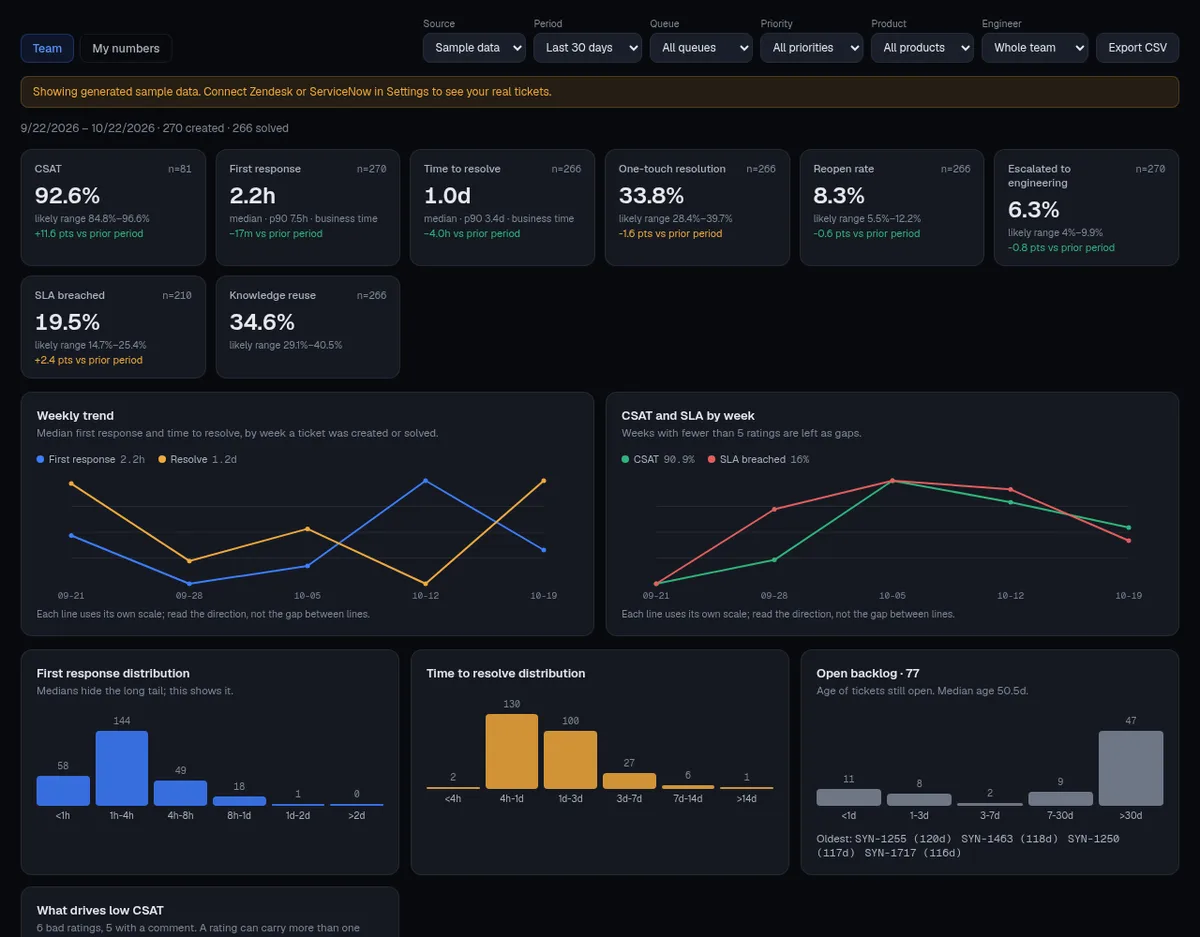
Team and personal support metrics with honest math: CSAT among answered surveys, response rate, first response and resolution time (median and p90), FCR, reopens, escalations, SLA breaches plus Solvaro-assisted ticket counts when Insights has enough data. Zendesk, ServiceNow or Jira can be the metrics source.
- Every number shows its sample size and a confidence label.
- CSAT drivers group the reasons behind bad ratings.
- Personal view shows your numbers next to the team median, without rankings.
- Jira breakdowns by customer, component and version when Jira is the source.
Connectors
Connect the tools your team already uses. Tickets, CRM context and knowledge publishing stay in the same desk.
- Helpdesk: Zendesk, Freshdesk, Intercom, ServiceNow (beta) and Jira for queues, first response and SLA.
- CRM: HubSpot or Salesforce — plan, contract value, renewal and owner next to the case.
- Collaboration: Slack threads linked to the case; GitHub for private repos and knowledge-base pull requests.
- Knowledge guides can publish to Zendesk Guide, a GitHub docs PR, ServiceNow, Salesforce Knowledge, Notion or Confluence. Each team picks a default destination.
- Credentials are scoped to the permissions you grant. Disconnect any time in Settings.